Please fill up all the data requested for in the Identity Verification (KYC) or My Info form.
Important Notes on Personal Details
- First Name and Last/Family Name – If you only have a single name, please enter your name in both fields.
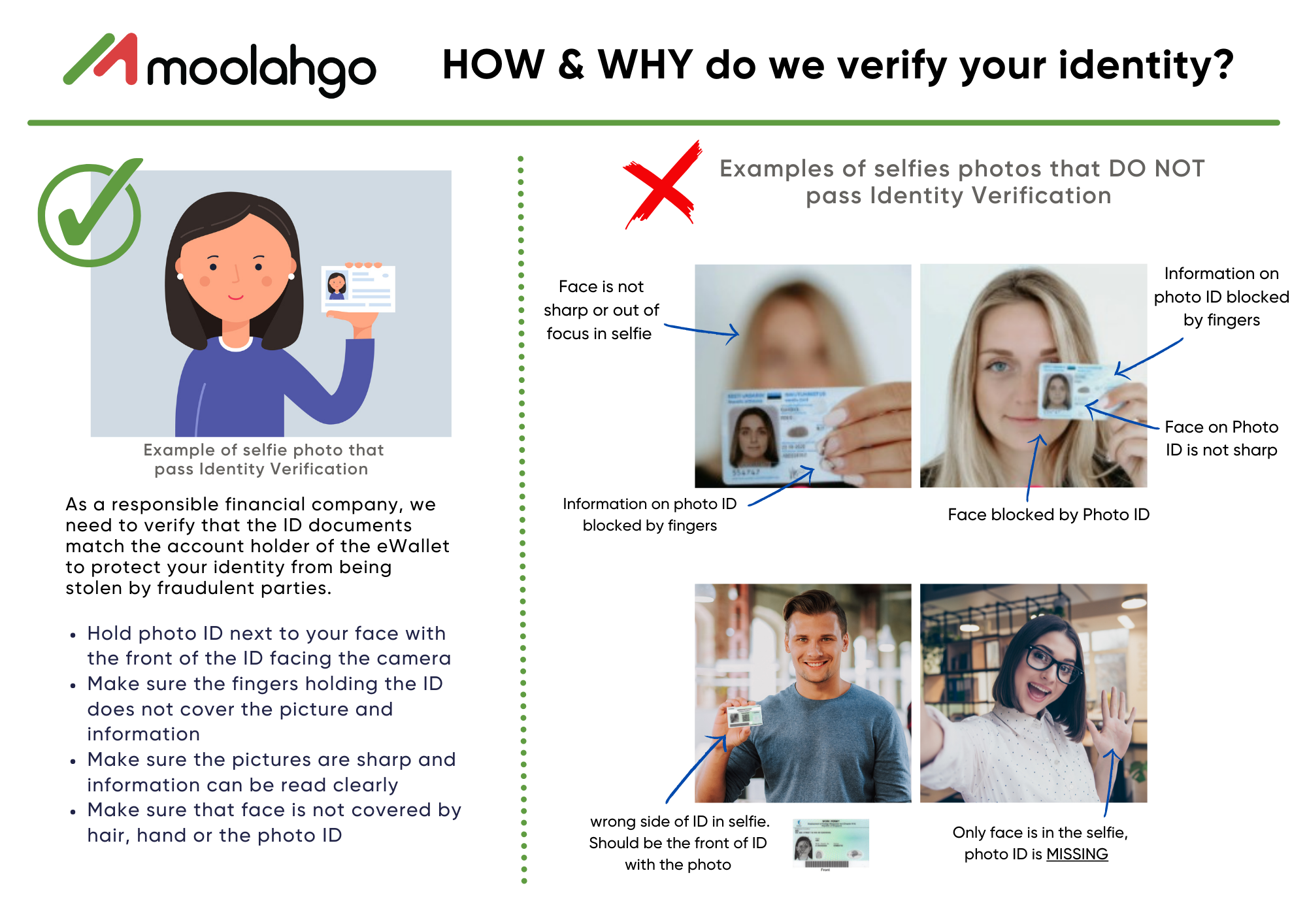
- For Singpass holders – You can provide your personal details by logging in to your Singpass account for us to retrieve the necessary information. Please note that this will not be complete as we will need you to submit a photo of your selfie holding up the front of your photo ID.
Important Notes on Document Uploads
- To avoid delays in your KYC approval, please make sure the photos of your documents are very clear and big enough for us to view.
- Selfies – please make sure your ID card is clear and big enough for us to match the photo on your ID and your selfie. Please ensure that your ID is not blocking your face (not even partially).
- Proof of Address documents – please refer to the App’s My Info page for more info about the various acceptable documents.
Below is a step-by-step guide to complete the documents upload.

Watch a short video (English) / video (Bahasa Indonesia) for the step-by-step instructions.







 Can't find an answer?
